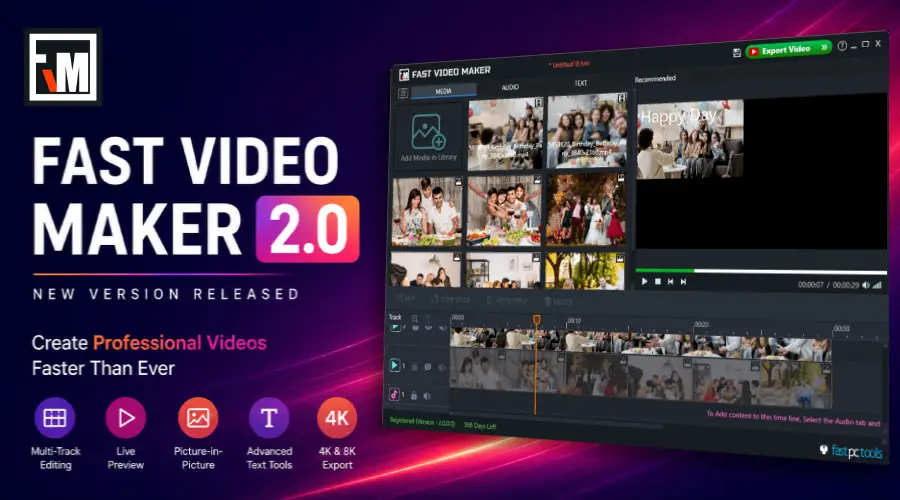

Creating high-quality videos shouldn’t require complicated software or hours of editing. That’s why we’re excited to introduce Fast Video Maker 2.0, a major update designed to make video creation faster, smoother, and more enjoyable for Windows users.
Whether you’re creating YouTube videos, product presentations, tutorials, social media content, educational videos, or memorable family slideshows, Fast Video Maker 2.0 gives you everything you need in a clean and easy-to-use workspace.
Download Fast Video Maker 2.0

A New Experience from Start to Finish
Fast Video Maker 2.0 is more than a regular update.
The application has been redesigned to provide a smoother editing experience while introducing several new features that help creators work more efficiently.
Instead of navigating through multiple windows, you can now manage videos, photos, text, and audio from a modern workspace with live preview and multi-track editing.
Every improvement in Version 2.0 was made with one goal in mind—helping you spend less time editing and more time creating.
What’s New in Fast Video Maker 2.0
Version 2.0 introduces several new features and workflow improvements.
Highlights include:
- Completely redesigned interface
- Multi-track editing timeline
- Live video preview
- Video in Video (Picture-in-Picture)
- Improved media organization
- Better text editing tools
- Resize and reposition videos, photos and text
- Faster rendering
- Improved stability
- HD, QHD, 4K and 8K export support
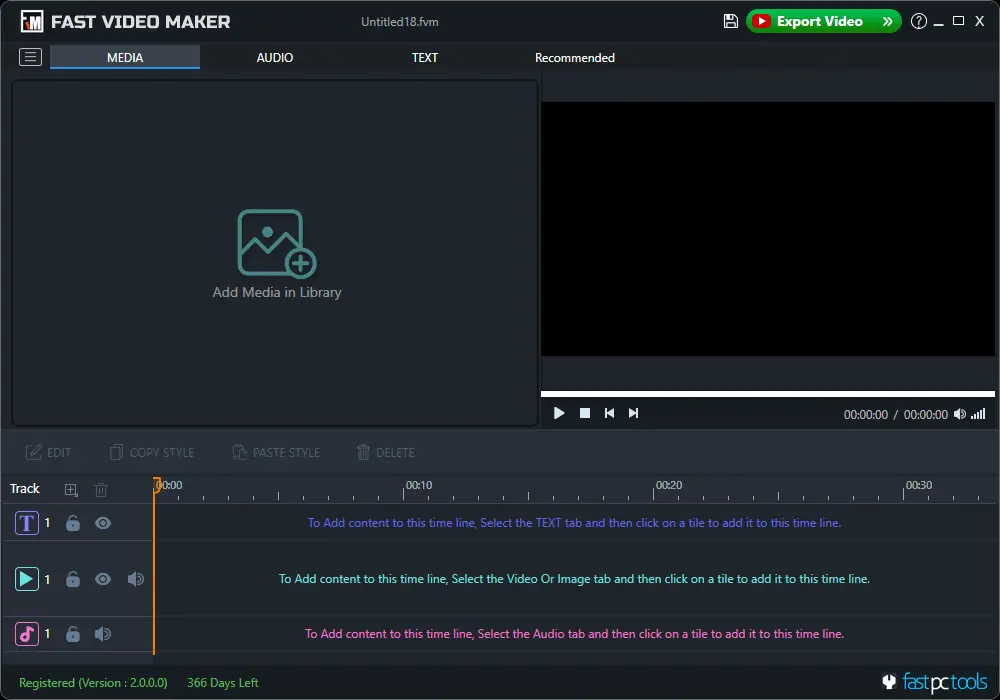
Caption: The redesigned main screen, provides quick access to all tools in a clean and organized workspace.
Modern Multi-Track Editing
One of the biggest improvements in Fast Video Maker 2.0 is the new multi-track timeline.
Now you can place:
- Media
- Text
- Music
on separate tracks.
This makes it much easier to build professional-looking projects while keeping everything organized.
Whether you’re creating a YouTube tutorial or a business presentation, the timeline gives you complete control over every element in your project.

Live Preview Makes Editing Easier
Nobody likes exporting a video just to check whether everything looks right.
With the new live preview window, you can instantly see changes while editing.
Adjust text, resize images, move videos, or modify layouts and preview the results before exporting.
This helps reduce mistakes and saves valuable editing time.
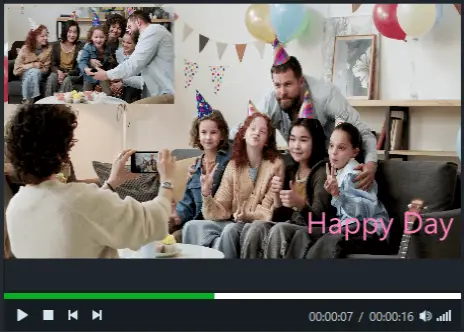
Video in Video Support
Need to place one video inside another?
Fast Video Maker 2.0 now supports Picture-in-Picture editing.
This feature is useful for:
- Tutorials
- Product demonstrations
- Gaming videos
- Educational content
- Online courses
- Reaction videos
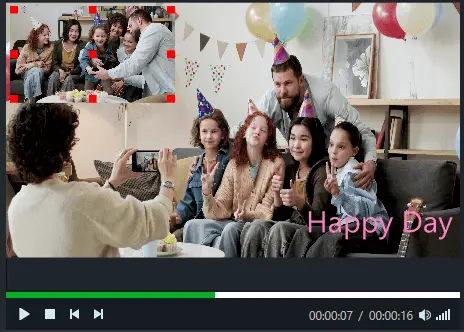
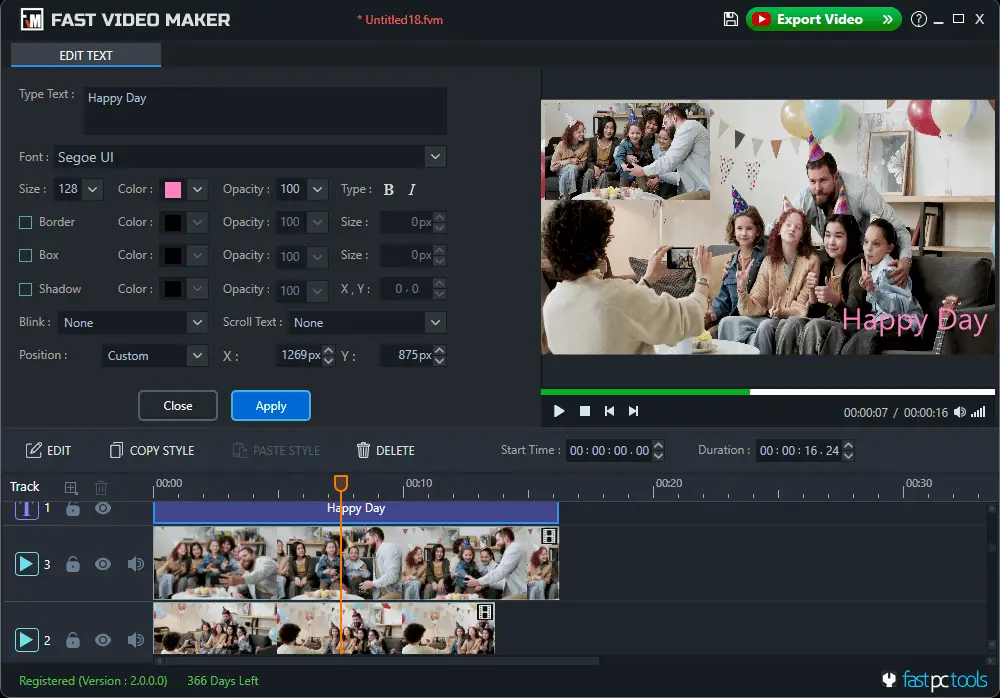
Better Text Editing
Text plays an important role in video creation.
Version 2.0 offers improved text controls, allowing you to:
- Change font
- Adjust size
- Set colors
- Add outlines
- Position text anywhere
- Resize text easily
This makes it simple to create titles, subtitles, introductions, and promotional messages.
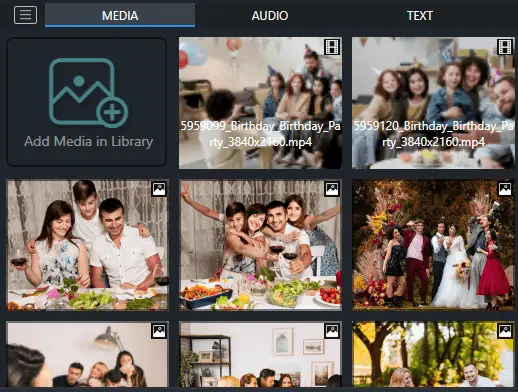
Organize Media More Efficiently
Managing multiple photos and videos is now much easier.
The updated media panel allows you to quickly import, arrange, and reuse files without interrupting your editing workflow.
Projects stay organized even when working with a large number of media files.
Create Your Project in the Right Resolution
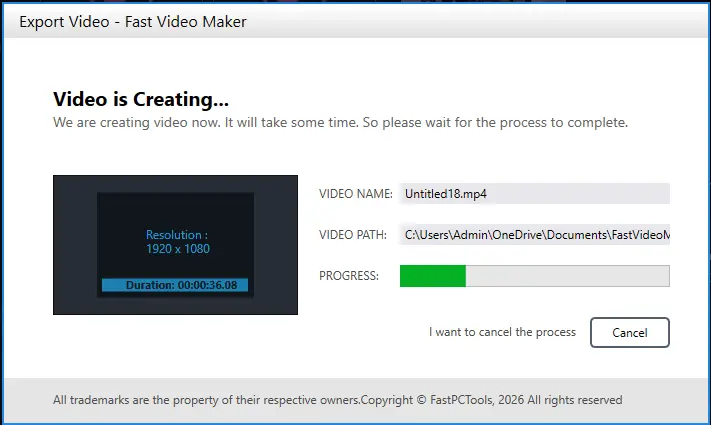
Every great video starts with the right project settings. In Fast Video Maker 2.0, you choose your project’s video size at the beginning, ensuring a consistent editing experience from start to finish.
Once your project is created, Fast Video Maker preserves the selected resolution throughout the editing process. When you’re ready to export, your final video is rendered using the same project resolution, giving you predictable and consistent results without any additional configuration.
Whether you’re creating videos for YouTube, presentations, social media, tutorials, or personal projects, starting with the appropriate project size helps ensure your final video matches your intended output.
Who Should Use Fast Video Maker 2.0?
Fast Video Maker is suitable for:
- YouTubers
- Social media creators
- Teachers
- Trainers
- Small businesses
- Marketing professionals
- Students
- Families
- Event organizers
- Content creators
Whether you’re creating videos for work or personal use, the software offers a simple workflow that anyone can learn quickly.
Why Choose Fast Video Maker?
Unlike many online video editors, Fast Video Maker works directly on your Windows PC.
This means:
- No large video uploads
- Better privacy
- Faster editing
- Local project storage
- No internet required during editing
The result is a faster and more reliable editing experience.
Frequently Asked Questions
Is Fast Video Maker free?
Yes. A free trial is available so you can explore the software before purchasing.
Which Windows versions are supported?
Fast Video Maker supports modern Windows operating systems.
Can I create YouTube videos?
Yes, You can create tutorials, presentations, product videos, slideshows, and content for YouTube and other social media platforms.
Does Fast Video Maker support 4K videos?
Yes, Version 2.0 supports exporting videos up to 8K resolution, depending on your project and system capabilities.
Download Fast Video Maker 2.0
Experience the new interface, improved workflow, and powerful editing tools available in Fast Video Maker 2.0.
Download the latest version today and start creating professional videos with ease.
Explore More Windows Software from FastPCTools
If you create videos regularly, you may also like:
- Fast Screen Recorder — Record your screen, webcam, and audio for tutorials, presentations, and gameplay.
- Fast Video Player — Fastest media player for Windows. Play MP4, MKV, AVI, MOV, WMV, FLV, and audio files.
- Fast Video Converter — Convert video and audio files between any popular format instantly.
About FastPCTools
FastPCTools develops Windows software designed to make everyday tasks simpler and more productive. Our products help creators, educators, businesses, and home users create content, capture screens, manage videos, and work more efficiently. We focus on building reliable desktop applications with clean interfaces, practical features, and regular updates to meet the needs of modern Windows users.