? Fast Video Converter – Free Video Converter for Windows 10 & 11 | FastPCTools
Fast Video Converter Format Converter

Fast Video Converter - Convert Any Video Format with Ease

Convert video and audio files between any popular format instantly. MP4, AVI, MKV, MOV, MP3, AAC, and more - with zero quality loss. Batch conversion and audio extraction included.

✅ Windows 11, 10, 8.1, 8 & 7 ✅ Free Download ✅ Digitally Signed
Fast Video Converter
Fast Video Converter for
Windows 11, 10, 8.1, 8 & 7 - Free Tool
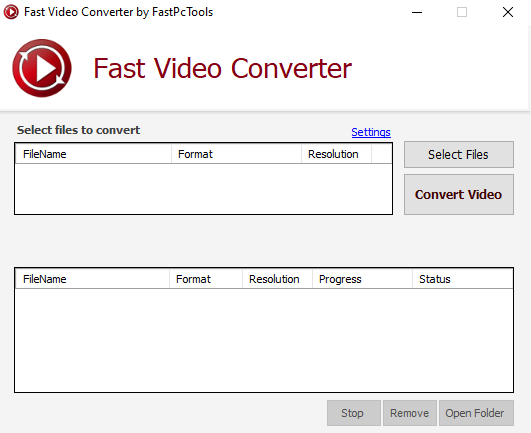
Fast Video Converter Screen

Fast Video Converter Features

🎥

Wide Format Support

Convert videos to iPhone, iPad, iPod, Android, PSP device compatible format. You can also convert videos to 3GP, AVI, MP4 format.

Fast Conversion

Optimized engine converts files rapidly without consuming excessive CPU resources.

💎

Lossless Quality

Preserve original quality throughout conversion. Your output looks and sounds identical to input.

🎵

Audio Extraction

Extract audio tracks from any video file and save as MP3, WAV, or AAC.

📦

Batch Conversion

Convert multiple files in one go. Save time when processing large video libraries.

💰

Free to Use

Enjoy powerful video conversion features completely free. Download and convert videos without paying subscription fees or hidden charges.

Fast Video Converter

Download Fast Video Converter for

Windows 11, 10, 8.1, 8 & 7·Free·Safe & Signed

⬇ Free Download for Windows
✅ 100% Safe✅ No Malware✅ Free

Frequently Asked Questions

It supports all major video formats (MP4, AVI, MKV, MOV, WMV, FLV, WebM) and audio formats (MP3, WAV, AAC, OGG). Convert between any combination.
No. Fast Video Converter is optimized for lossless output. You can also manually adjust quality settings if needed.
Yes, batch conversion is supported. Add multiple files and convert them all in one single operation.
Yes. Select the video, choose an audio output format like MP3 or WAV, and the converter saves just the audio track.